Quick answer
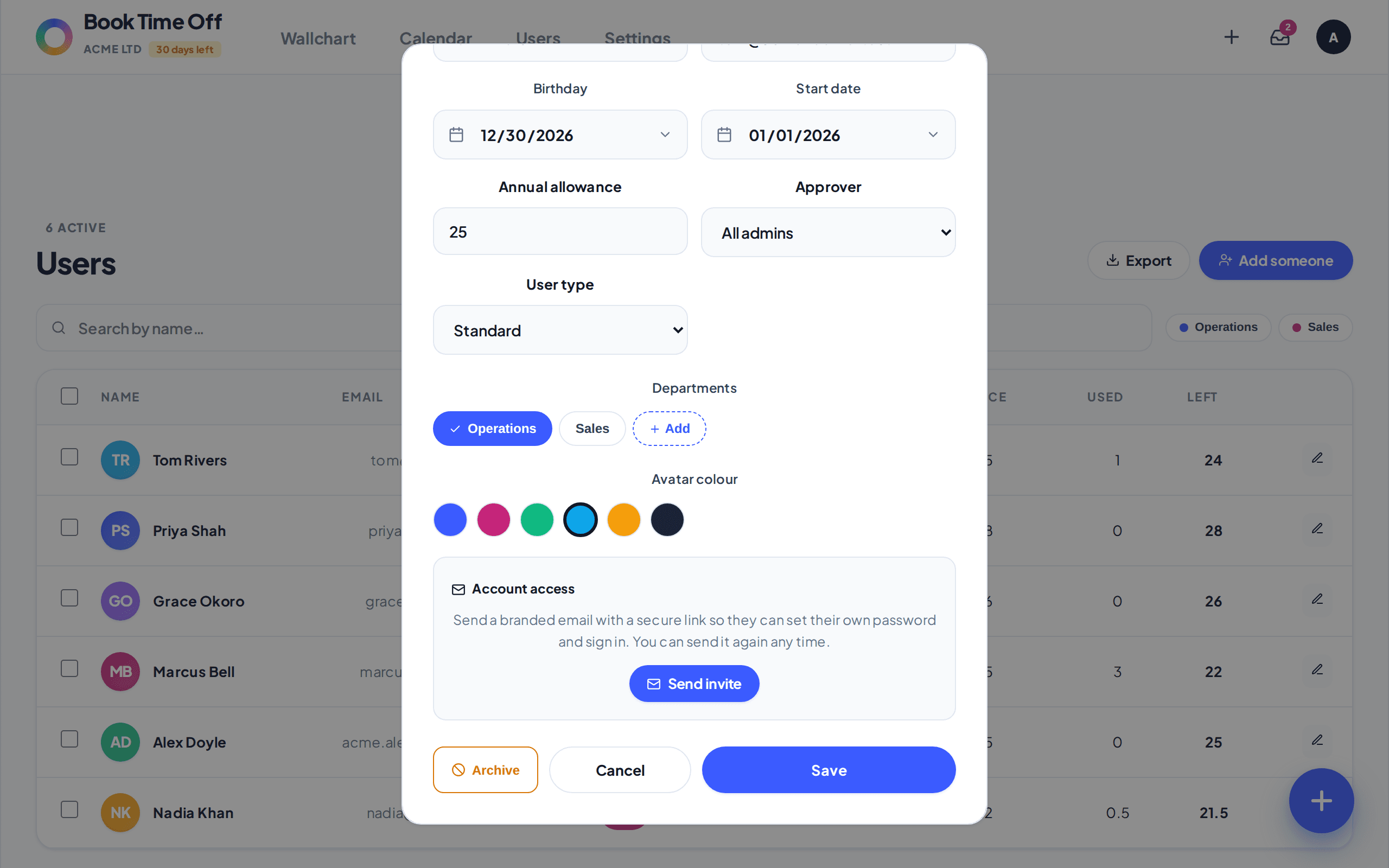
When you add someone with an email, you can email them an invite to set up their own login. For people already on your team, open them and choose Send invite. The link lets them set a password and sign in.
Find it under
Open the person
Go to People and click the pencil on the person’s row, or use Add someone for a new joiner. They need an email address.
Send the invite
Under Account access, choose Send invite. For a brand new person you can tick Email them an invite to set up their account when you save. They get a branded email with a secure link to choose a password.
Invites are optional
You can manage everyone’s leave without inviting them. Invite only the people who need to sign in and book their own time off.
Resend any time
The same Send invite button sends a fresh link whenever you need. Links are one-time and expire after 14 days; a new invite replaces the old one.