Quick answer
On the People page, tick the people you want, then choose Book time off in the bar that appears. Set the leave type and dates and it books approved leave for everyone selected.
Find it under
Select the people
Go to People and tick the people you want. A bulk action bar appears showing how many are selected.
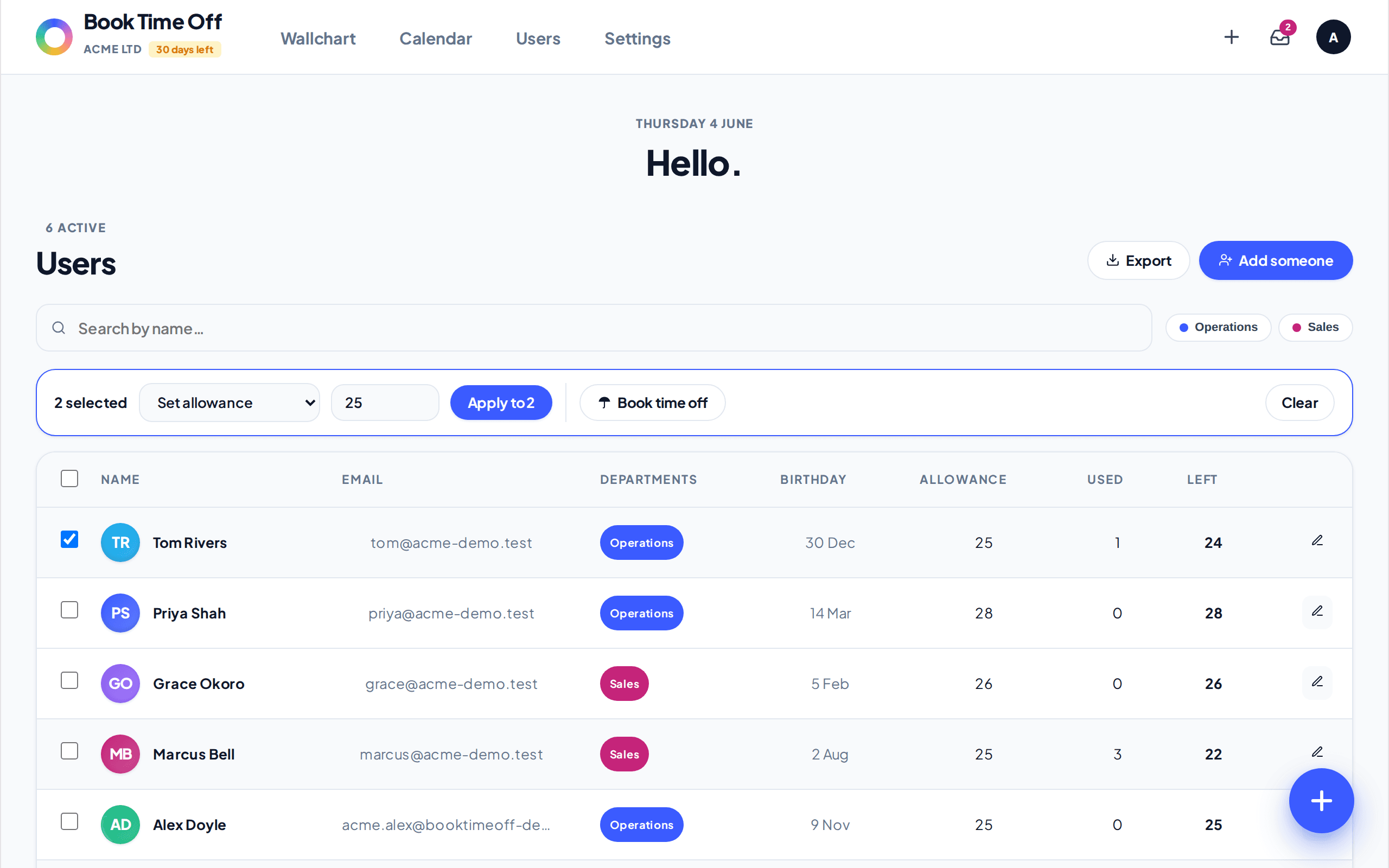
Book for the group
Choose Book time off in the bar. Pick the Leave type, set From and To, and add an optional Reason such as Christmas shutdown. It books approved leave for each person and deducts from their allowance.
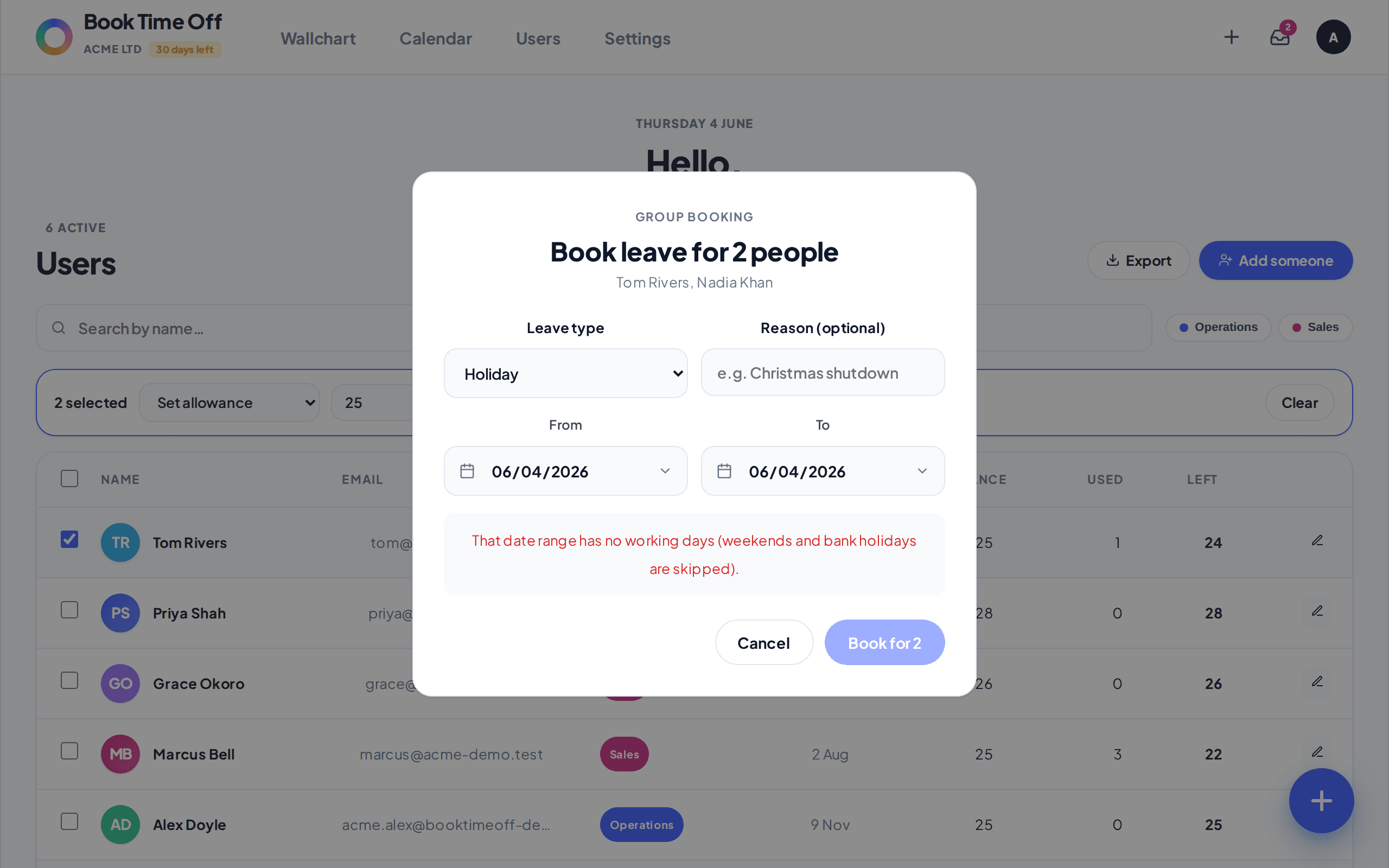
It books as approved
A group booking is recorded as approved straight away and deducts from each person’s allowance. Weekends and bank holidays in the range are skipped.
Ideal for shutdowns
This is the quickest way to close the whole company or a department for the same dates, for example over Christmas.