Quick answer
There is no edit-dates screen. To change a booking, cancel it (which refunds the days) and book the new dates. You can cancel from the Inbox’s Approved tab, the requests list, or by clicking the day on the calendar.
Find it under
Find the booking
Open the Inbox and choose the Approved tab, or open the person’s requests. Each booking has a Delete button.
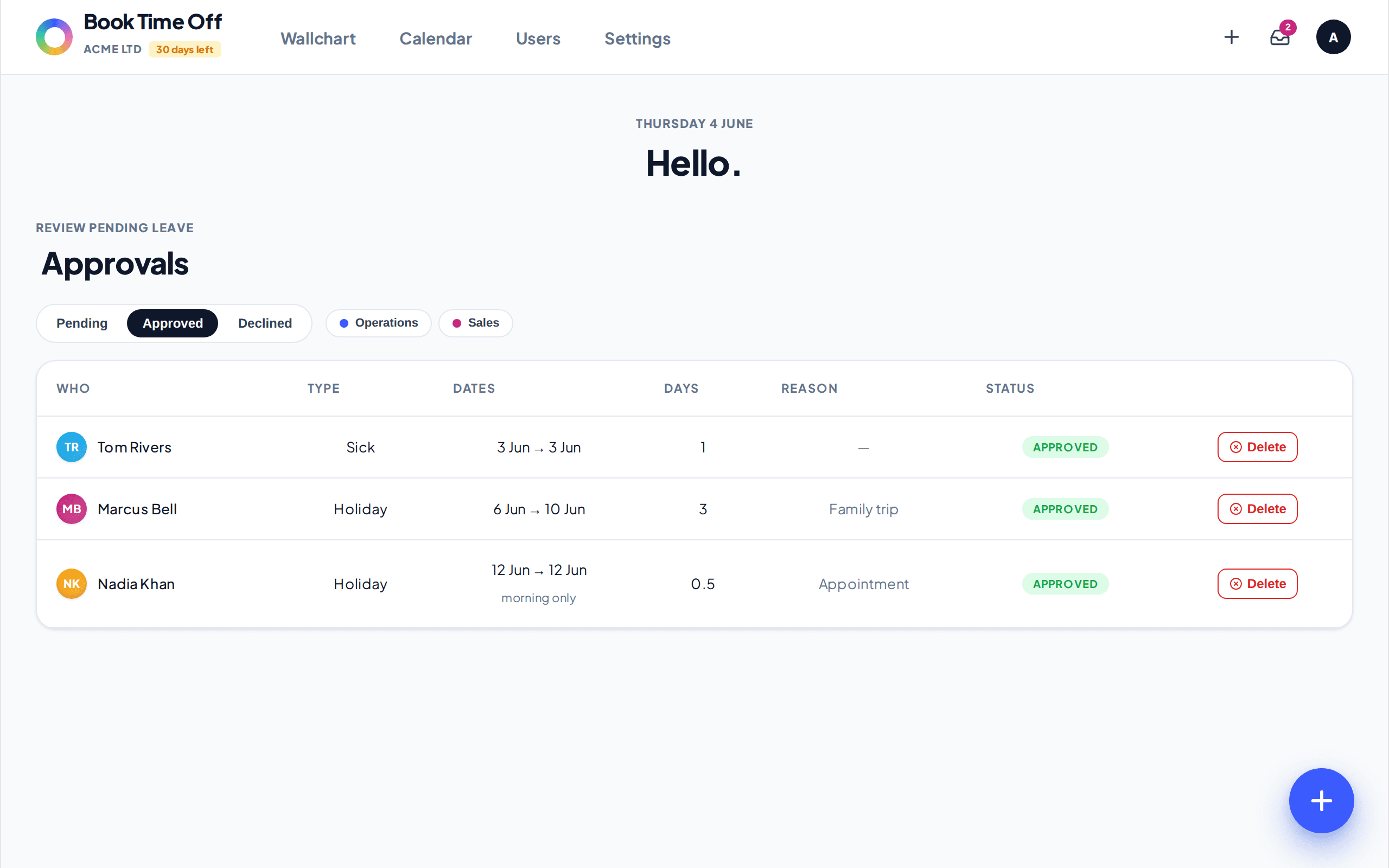
Cancel, then rebook if needed
Choose Delete to cancel. Cancelling approved leave refunds the days to the allowance. To change the dates, cancel and then make a fresh booking for the right dates.
No edit screen, so cancel and rebook
Book Time Off does not have an edit-dates form. Moving a booking means cancelling and rebooking. To shorten a multi-day booking, click the day on the calendar and remove just that day.