LeaveDates · An honest review with screenshots
We took LeaveDates for a spin with its 30 day free trial so you don't have to. It scores 4.8/5 on Capterra so it's clearly noteworthy.
Why we're telling you this
It's a great product and we took a lot of inspiration from it when we moved away from Timetastic and built our own product, Book Time Off.
In all, we trialled 12 different products so we could take the best aspects of each to build something that works perfectly.
LeaveDates also happens to be the only other product we trialled that could match Book Time Off on price (£1 / user / month).
That said, it was considerably more expensive on its higher tiers.
Read on for the full review, or trial Book Time Off for free now · everything included at one flat price, no tiers to climb.
First impressions
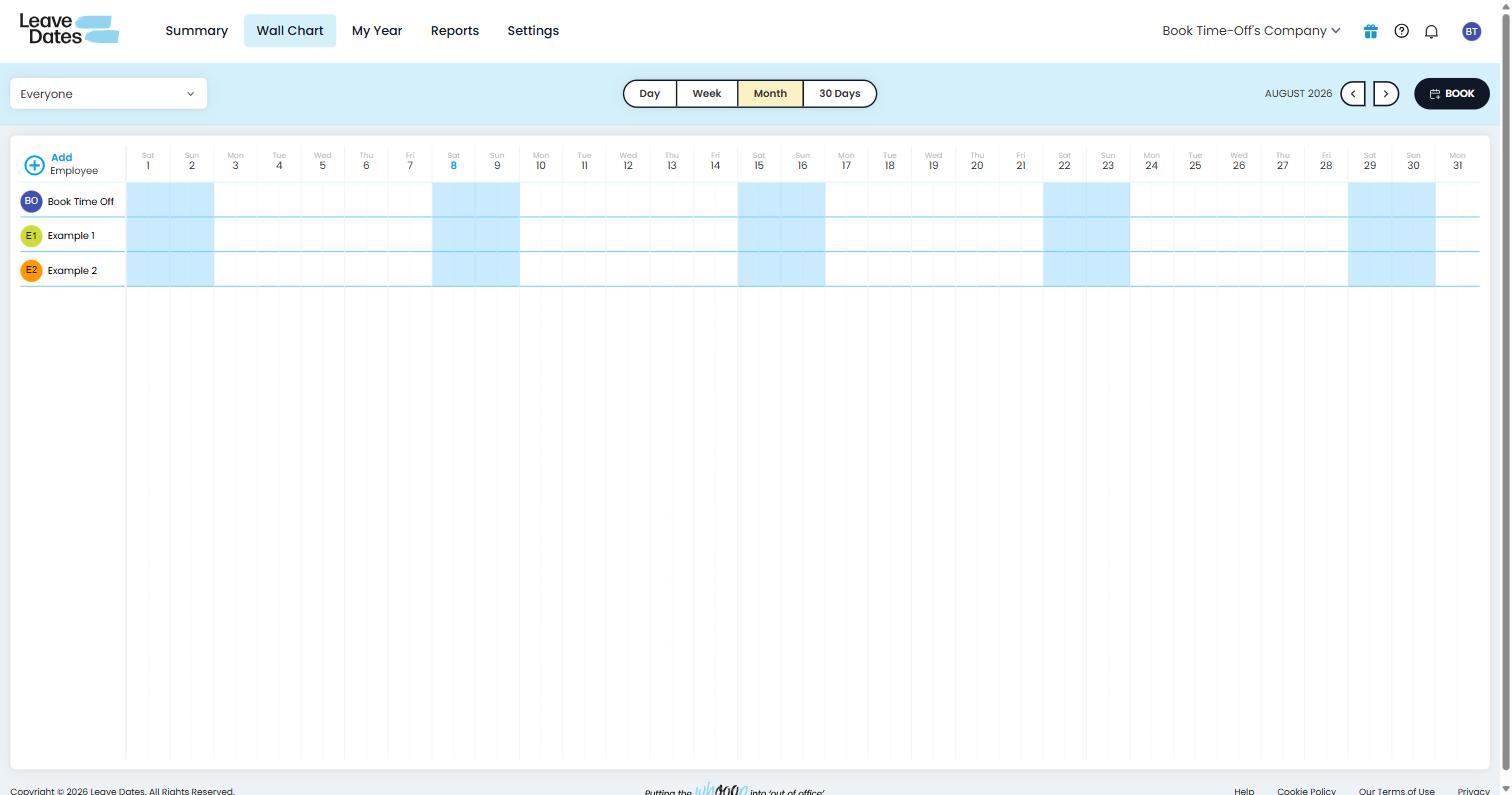
Upon first loading, LeaveDates drops you in on its Wall Chart screen with a pre-seeded demo company and employees ready for you to edit.
You can toggle your view to month, week, day, 30-days and there's an obvious black 'BOOK' button to take you straight to booking leave.
It's simple and obvious where you are and where you need to go next.
LeaveDates
Book Time Off

We took a similar approach with Book Time Off…
The page you initially land on is our calendar and you know exactly where to go next with obvious markers on the screen.
The difference however is that we added a quick onboarding wizard that gets your team added.
It's subtle but it means you land on that screen seeing your own team's names rather than 'Example 1' and 'Example 2'.
Setting up your team
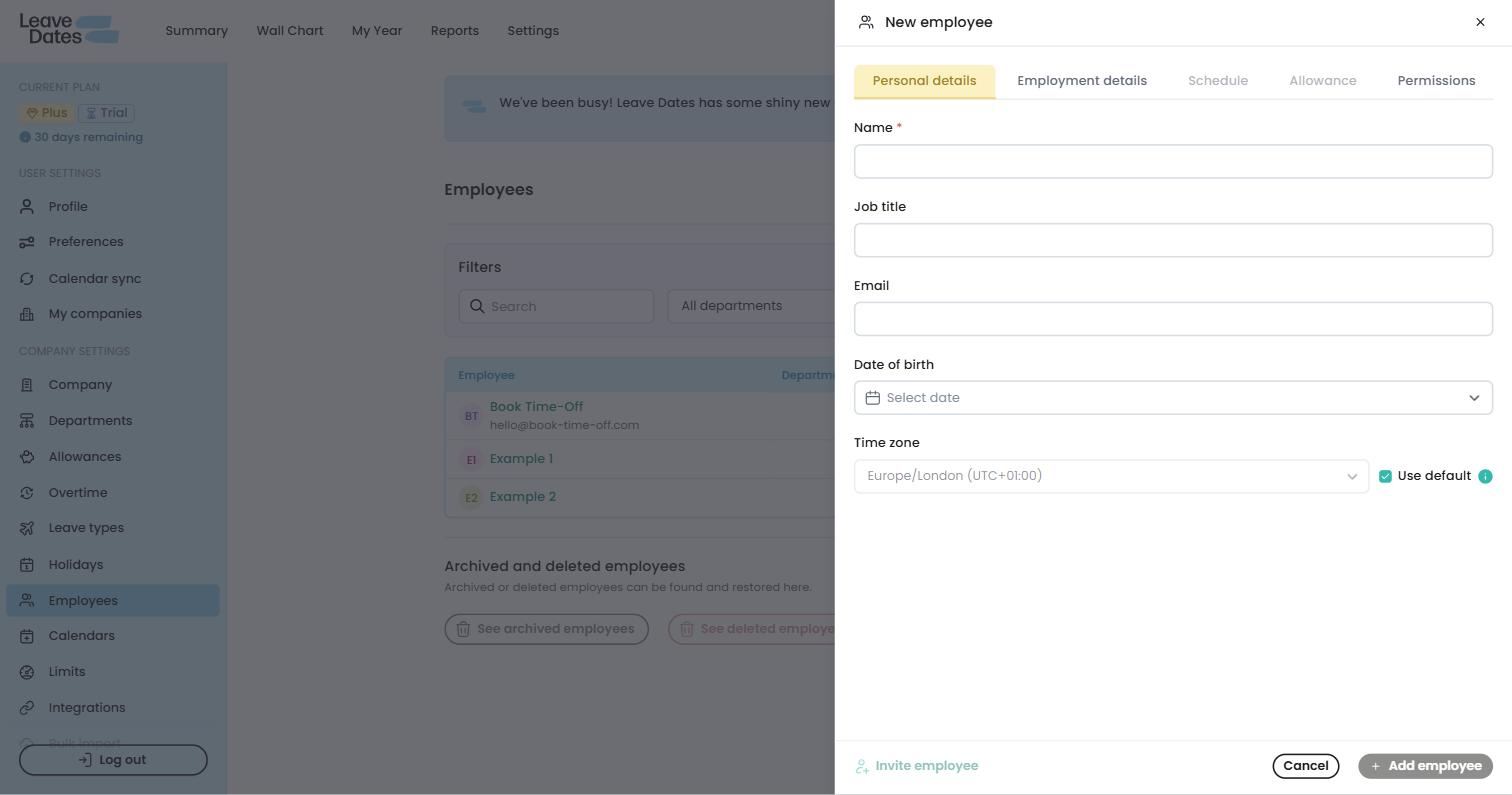
A genuinely really intuitive and easy way to add team members.
What's nice here is that you can simply add a name and be done with it if that's what you want just to start with.
On the other hand you've got a handful of tabs available to you (personal details, employment details, schedule, allowance and permission) allowing for a bespoke set up for every user.
We think that will work well for companies whose team each require different set ups and that's where it'll excel.
LeaveDates
Book Time Off

We went with something similar in that it's a simple popup modal where you can start by adding the basic details rather than having loads of mandatory fields.
That said, when we built Book Time Off we wanted to cater for businesses who were looking for simplicity so we stripped out a lot of the options on this screen and have them in the company-wide settings.
There's no right or wrong: some companies will prefer lots of options and others will want simple.
Calendar and leave types
LeaveDates has 10 different leave types built in covering everything you can think of really (Annual Leave, Compassionate Leave, Dependant Leave, Jury Service, Other, Public Holiday, Purchased Leave, Sick Leave, Study Leave/Training and Unpaid Leave).
You can edit the leave types and annual leave is the only one that deducts from overall allowance by default.
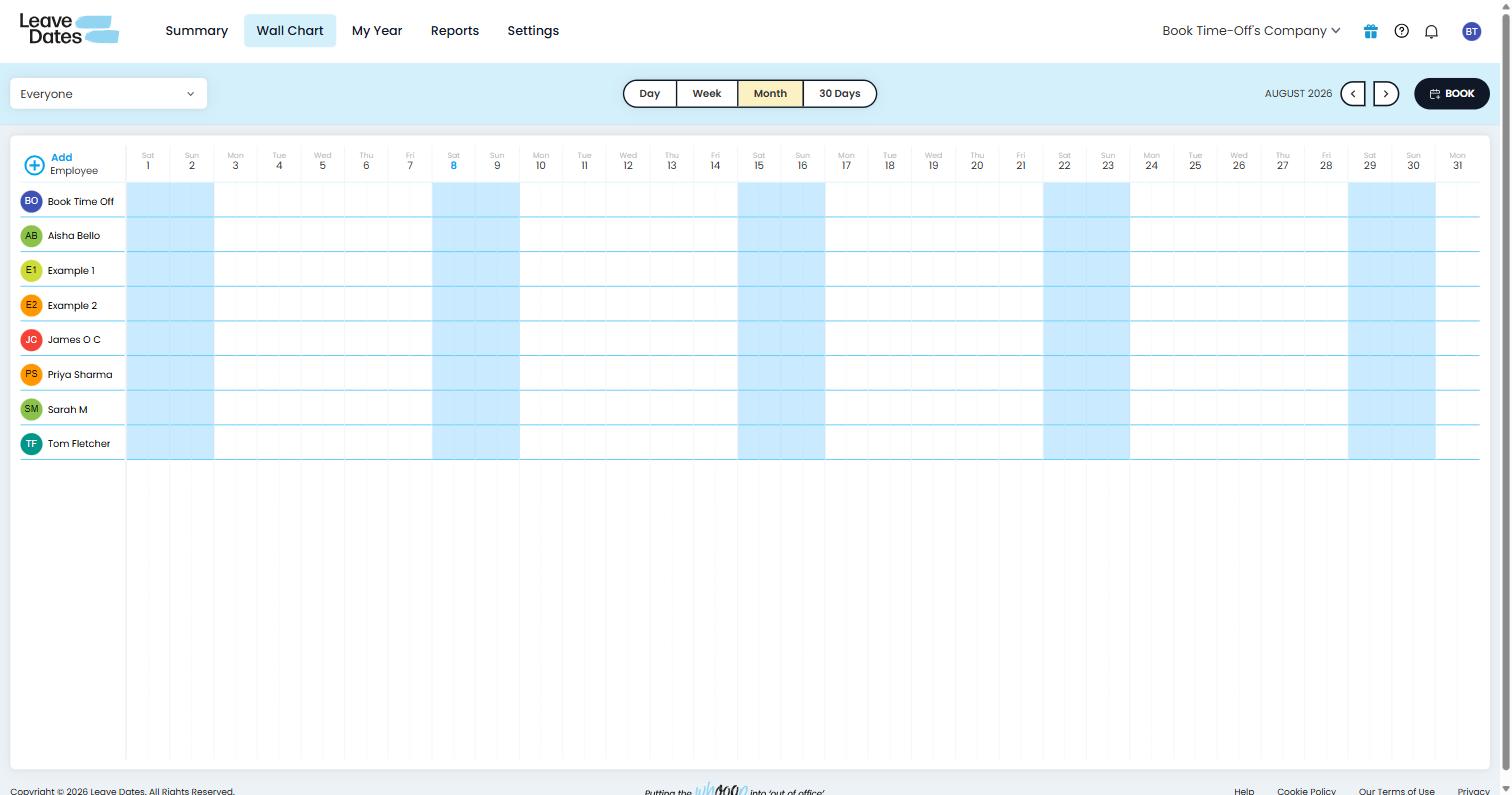
The Wall Chart view helps anyone see these leave bookings visibly and it's simple enough to decode who is who using the different colours.
LeaveDates
Book Time Off

Book Time Off landed on the same position with annual leave being the only default deduction from totals.
We went with a handful of leave types and the option to add more on the basis that it kept things clean and simpler but still without restricting on what can be added.
Interestingly one of our criticisms of Timetastic is the grey shade that's used for every team member making it hard to decipher who is who: we fixed that with colours and it's nice to see it vindicated with LeaveDates adopting something similar.
Requests and approvals
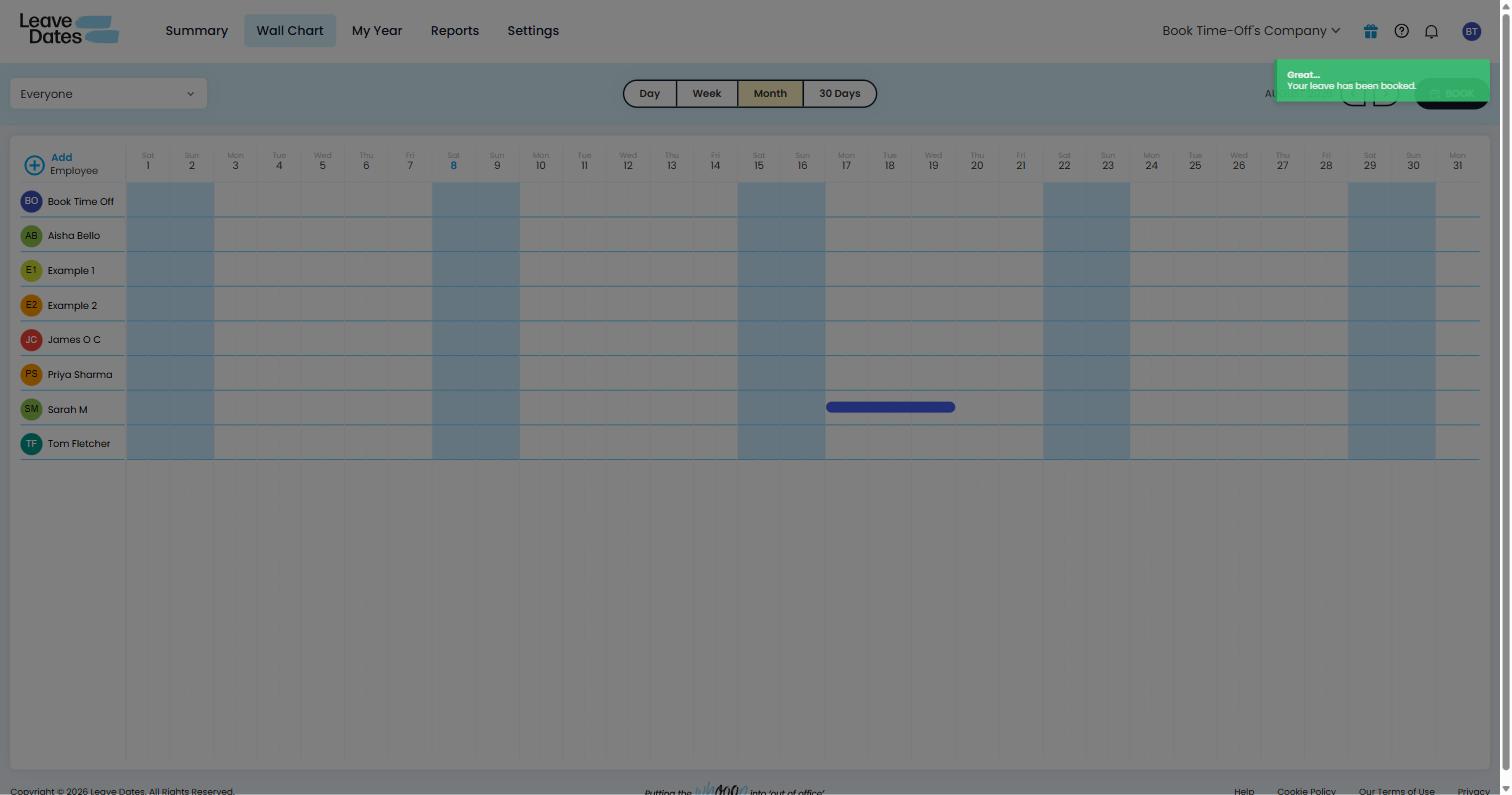
We booked a few days of leave to test it and were met with all the right options: who for, leave type, dates on a calendar and send. Very simple.
Before committing it also shows a nice breakdown of the allowance change (Current 20 days → new 17 days), that's a nice touch.
Since we were admins the leave went straight to approved. Not a major issue but sometimes an admin is adding leave for someone else to approve so it felt like it needed that option maybe.
LeaveDates
Book Time Off

Book Time Off took on roughly the same approach however we built in a toggle for admins so they can choose to put the leave straight to approved or add it to the queue for normal approval.
Again, a subtle difference but a user-friendly one.
Settings and admin
It's arguably the most boring section of any product however it's the one that you want to be the easiest. After all, when something goes wrong or you need an answer quickly, you don't want to be met with confusing options.
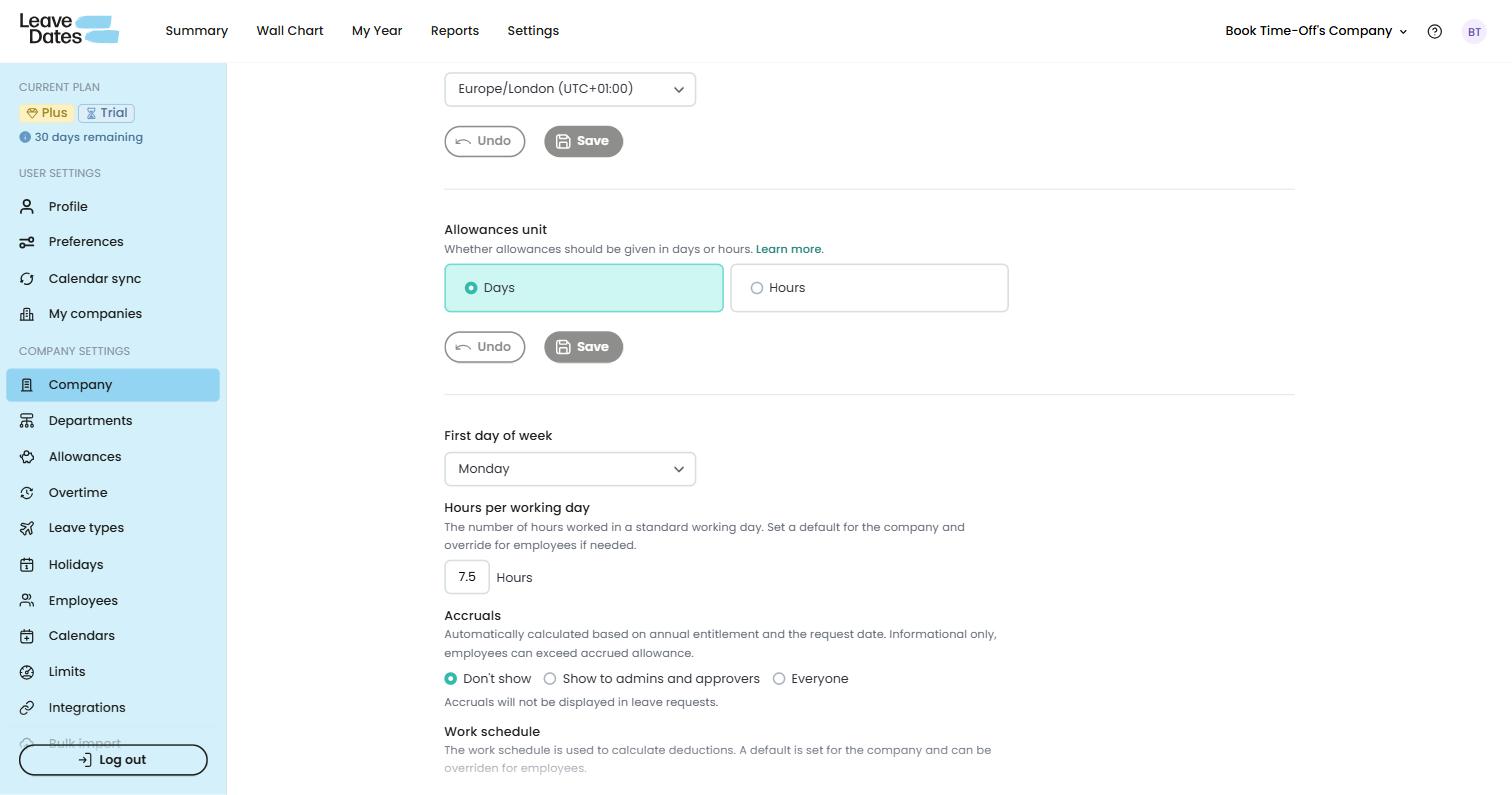
LeaveDates has thirteen items on its sidebar which felt like a lot to us. That said once you were in each one they were short and generally single-purpose so you got to where you needed.
Overall it's good once you know where everything is but you might have to work a little bit to find things initially.
LeaveDates
Book Time Off

We adopted a slightly more grouped option to help users get to the right place quickly.
It comes back to an earlier point around what you're looking for: if you prefer to have lots of options and choice then LeaveDates might tip it but for simplicity and ease of access Book Time Off maybe has the edge.
Integrations
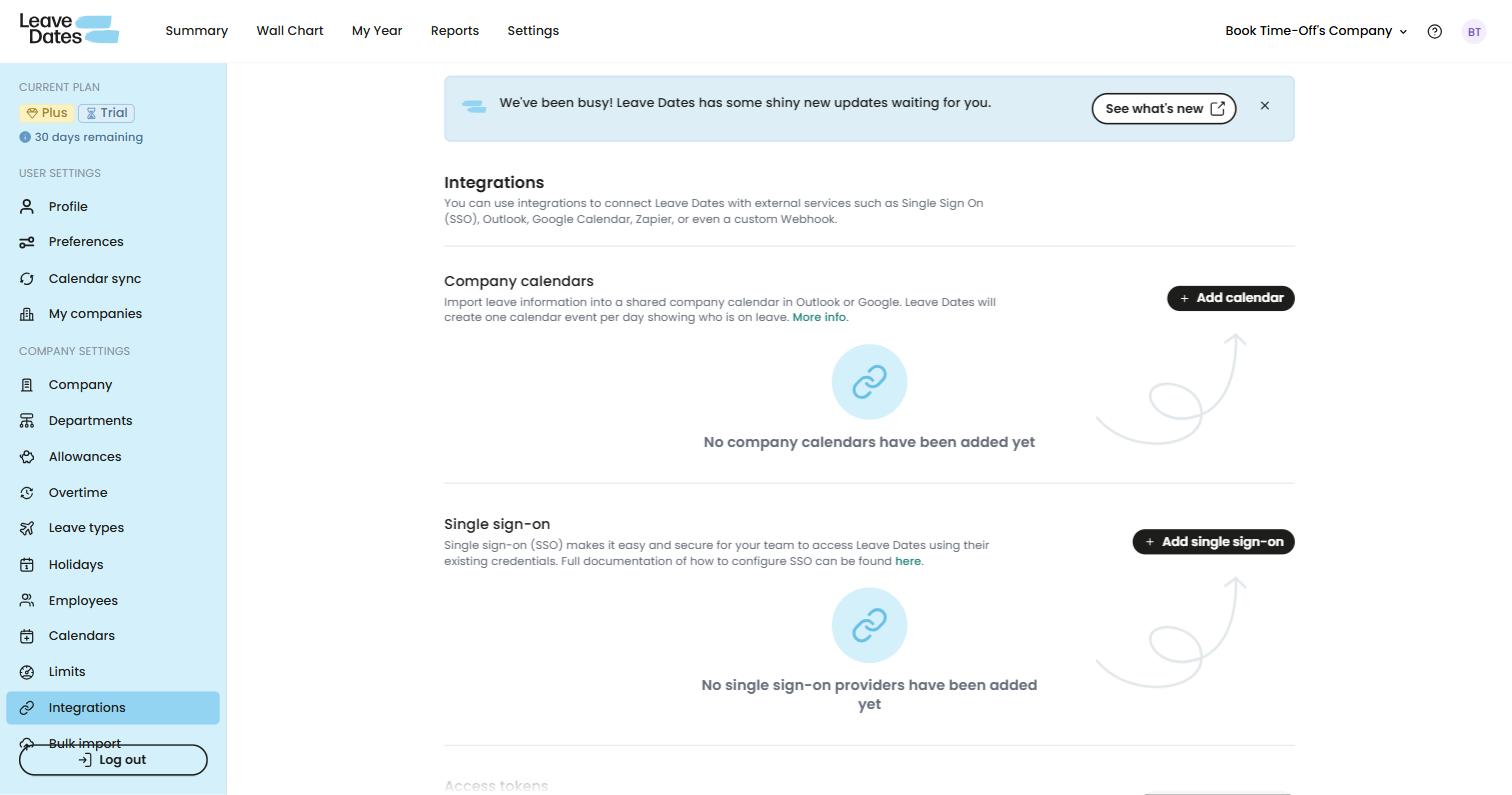
In terms of the integrations on offer, LeaveDates gives pretty much everything you'd expect including Google and Outlook (as well as iCal) calendar syncing, Slack integrations, SSO and even API / Webhook options for more techy types.
The downside, as with so many of these annual leave booking systems, is that you have to upgrade to a higher price point to get them.
Unbelievably, even for a Calendar sync you'll need to move from £1 to £2 per user per month and it's £2.50 if you want the advanced features like SSO, API, Zapier or Webhooks.
LeaveDates
Book Time Off

This is the big difference with Book Time Off. You get the integrations you'd expect but without the price tag.
Everything is bundled into the standard £1 per user per month and you're not being lured in with a headline price only to find costs creeping later.
Book Time Off also has a Google Chat app, so teams on Google Workspace can see who's off, check their balance and book leave straight from Chat.
Reporting
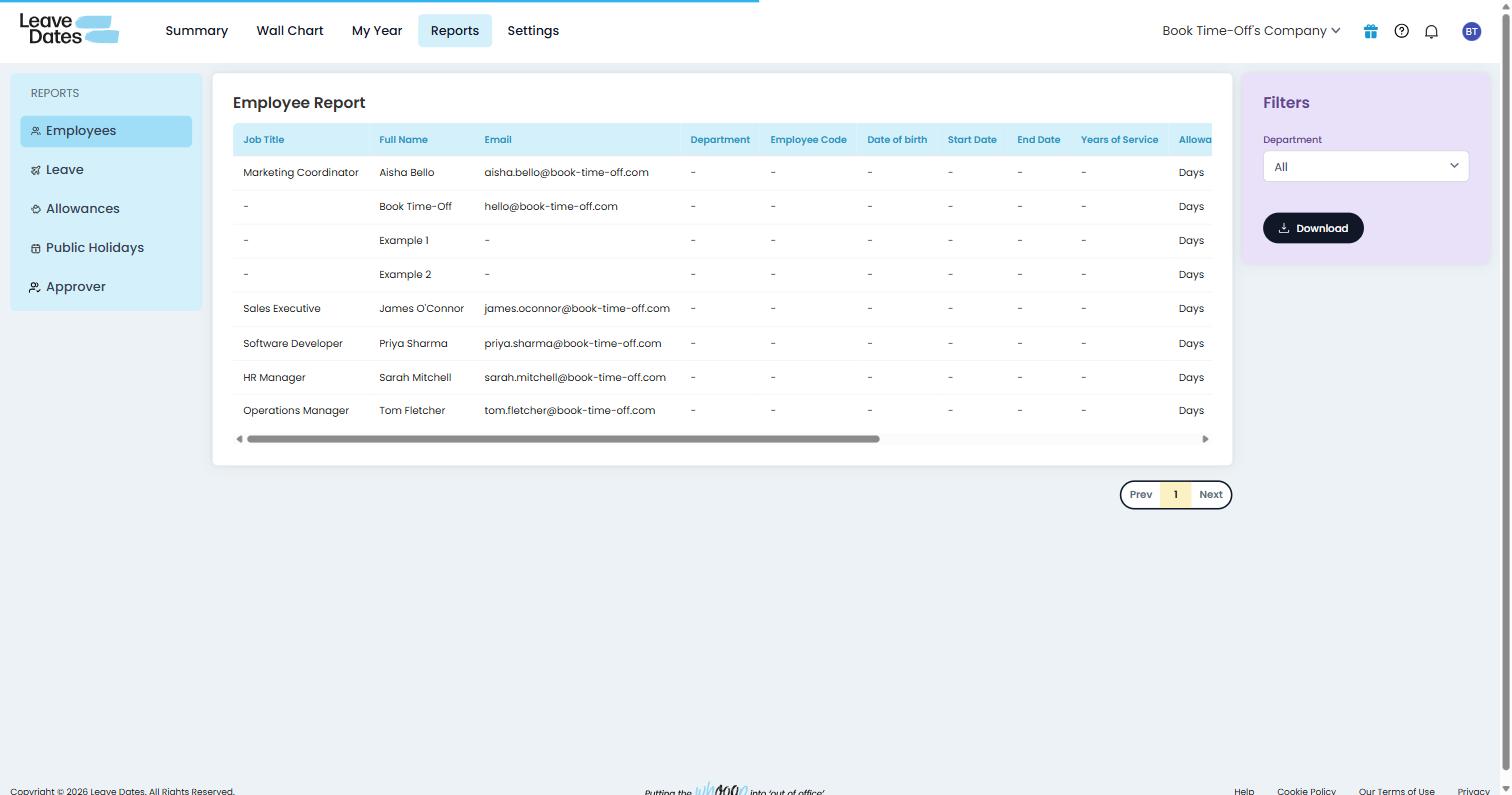
All that said about the costs of tiered upgrades for integrations, one thing LeaveDates does bundle into its lowest price point (others don't!) is its reporting functions.
The reports on offer are plain and simple tables, available to export with a click. Exactly what you need.
LeaveDates
Book Time Off

Book Time Off offers a bit more in the ways of graphs and visual representation on its website but otherwise, much the same reporting space offering everything you need in one place.
Pricing
This is where things start to get interesting (or maybe confusing).
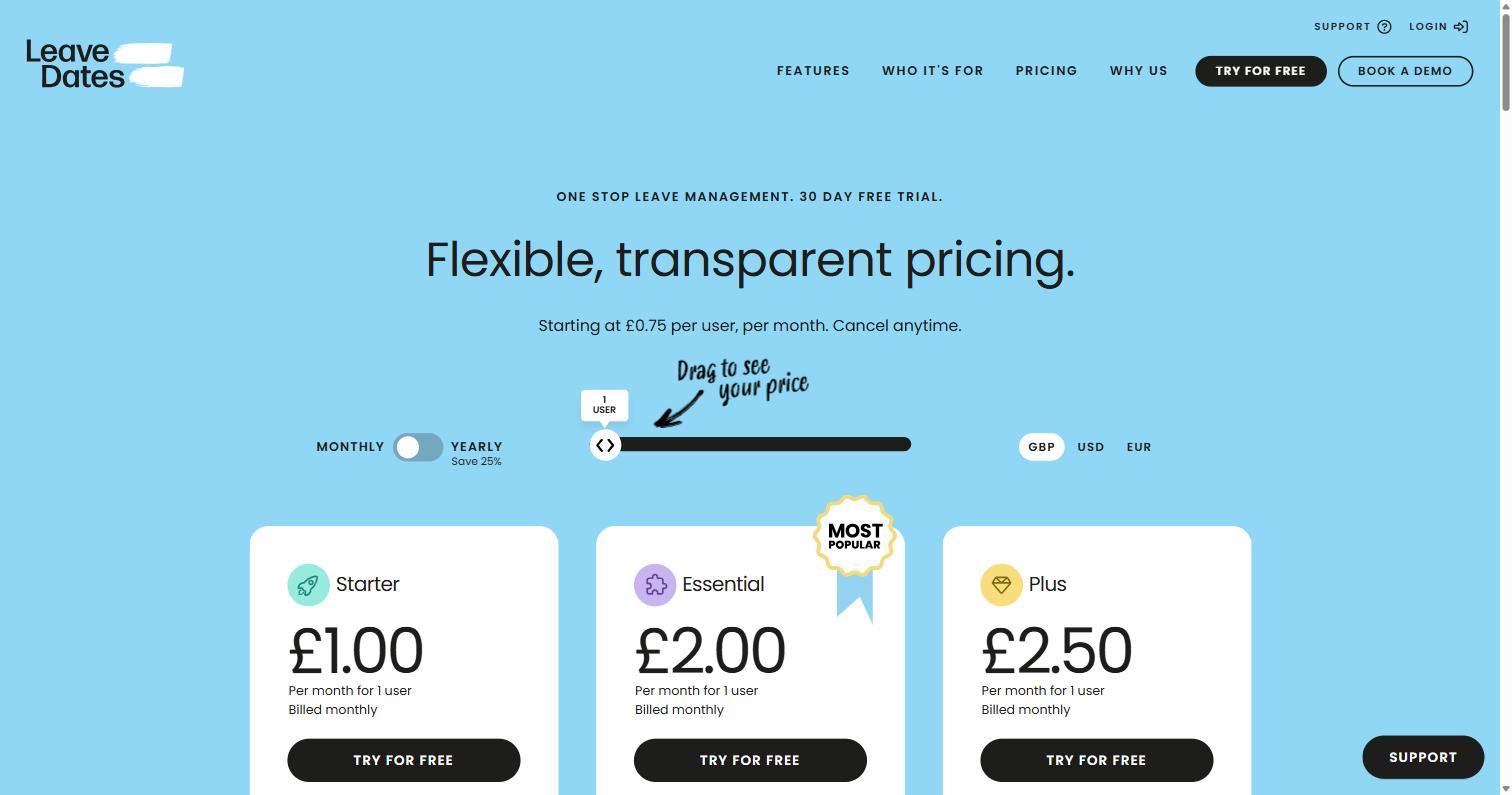
LeaveDates essentially offers six price points: Starter for £1 per user monthly or £0.75/month paid annually. Essential for £2.00 per user monthly or £1.50/month paid annually. And Plus for £2.50 per user monthly or £1.88/month paid annually.
Our advice here is that the 'Most Popular' tag is on the Essential (£2 monthly or £1.50/month paid annually) for a reason.
You will end up there if you want to add your leave to Outlook, bulk book days off at Christmas or even archive (rather than delete) employees.
Even the Starter name suggests no one ends up there!
LeaveDates
Book Time Off

The other word of warning is around annual licences: the danger of course is that an employee leaves or your team size varies such that you end up paying for users you don't have or need.
When we built Book Time Off it was exactly this kind of model we wanted to do away with.
We went with one price point (£1/user/month) with no upgrade tactics or long-term commitments.
The bottom line
LeaveDates is a great product. It's well built and has lots of options to choose from.
Sometimes it neglects to keep things simple in favour of offering more selections but that's not necessarily a bad thing.
The bit that perhaps lets it down is the complicated pricing which almost inevitably means costs will creep: whether it's from their Starter to their Essential plan or whether you end up paying for users you don't need on an annual commitment.
Book Time Off took a lot of inspiration from LeaveDates: its styling and layouts in particular.
It applied some added simplicity and made sure you get everything for one low price with no danger of costs creeping.
Book Time Off: the alternative to LeaveDates that'll save you money without sacrificing on features
Full feature comparison
LeaveDates plan features below are taken from their published pricing; Book Time Off features are verified in the live product. Book Time Off is the highlighted column.
Swipe to see all columns →
| Feature | Book Time Off · £1 / user / mo | Starter · £1.00 / user / mo | Essential · £2.00 / user / mo | Plus · £2.50 / user / mo |
|---|---|---|---|---|
| Everyday leave management | ||||
| Real approval step on admin-booked leave | ✓ Yes | ✕ No | ✕ No | ✕ No |
| Company-wide reporting & insights | ✓ Yes | ✓ Yes | ✓ Yes | ✓ Yes |
| CSV / data export | ✓ Yes | ✓ Yes · Excel format | ✓ Yes · Excel format | ✓ Yes · Excel format |
| Custom leave types | ✓ Yes | ✓ Yes | ✓ Yes | ✓ Yes |
| Integrations, SSO & reporting | ||||
| Calendar sync (Outlook/Google) | ✓ Yes | ✕ No | ✓ Yes | ✓ Yes |
| Slack | ✓ Yes | ✕ No | ✓ Yes · daily summary only | ✓ Yes · daily summary only |
| Microsoft Teams | ✓ Yes | ✕ No | ✕ No | ✕ No |
| Google Chat | ✓ Yes | ✕ No | ✕ No | ✕ No |
| Single sign-on | ✓ Yes | ✕ No | ✕ No | ✓ Yes |
| API & webhooks | ✕ No | ✕ No | ✕ No | ✓ Yes |
| Price | ||||
| Per user / month, billed monthly | £1 flat | £1.00 | £2.00 | £2.50 |